
Reviewed
Bootstrap 5 (M5)
Headers & Heroes
One Background Image 0.3
Zen2cool,
16 Jun 2026
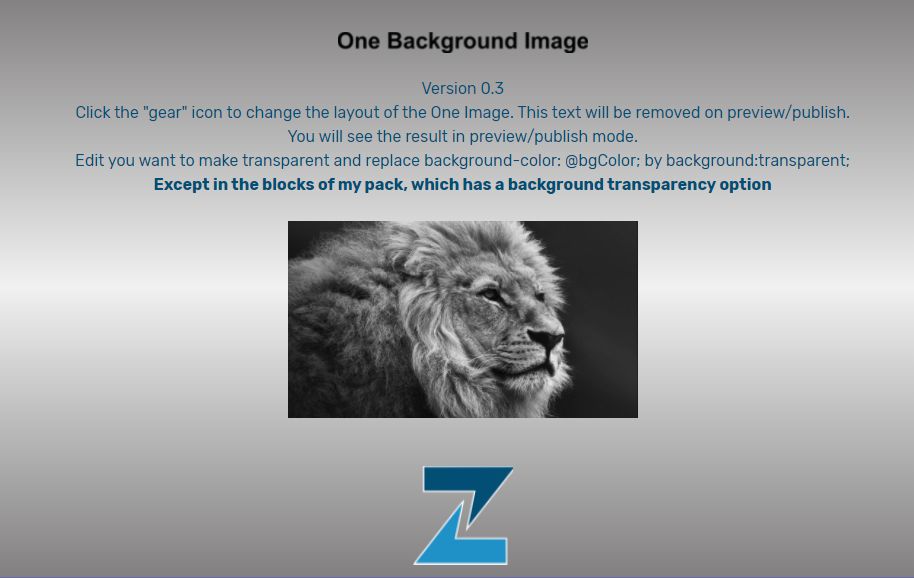
Edit you want to make transparent and replace background-color: @bgColor; by background:transparent;
Except in the blocks of my pack, which has a background transparency option
Except in the blocks of my pack, which has a background transparency option
JavaScript
HTML
<section data-bs-version="5.1" mbr-id="_anchor" class="_customHTML">


    <mbr-parameters>
<header>Image</header>
        <fieldset type="background" name="bg">
            <input type="image" title="Background Image" value="https://www.unsitepourtous.be/mobi/lionaf.jpg" selected>
            <input type="color" title="Background Color" value="#cc2952">
        </fieldset>

            <input type="range" title="Opacity" name="opaCity" min="0" max="1" step="0.1" value="1" condition="bg.type !== 'color'">
            <input type="range" title="Blur" name="bluRimg" min="0" max="20" step="1" value="0" condition="bg.type !== 'color'">


        <select title="Filter" name="FiltreZen" condition="bg.type !== 'color'">
        <option value="1">No Filter</option>
        <option value="2">Saturate</option>
        <option value="3">Grayscale</option>
        <option value="6">Sepia</option>
        <option value="7">Invert</option>
      </select>
        <input type="range" title="Adjust Filter" name="Adjustimg" min="0" max="100" step="1" value="0" condition="bg.type !== 'color'">


          </mbr-parameters>


<script type="text/javascript">

     function redimensionnement(){

    var $image = $('https://www.unsitepourtous.be/mobi/lionaf.jpg');
    var image_width = $image.width();
    var image_height = $image.height();

    var over = image_width / image_height;
    var under = image_height / image_width;

    var body_width = $(window).width();
    var body_height = $(window).height();

    if (body_width / body_height >= over) {
      $image.css({
        'width': body_width + 'px',
        'height': Math.ceil(under * body_width) + 'px',
        'left': '0px',
        'top': Math.abs((under * body_width) - body_height) / -2 + 'px'
      });
    }

    else {
      $image.css({
        'width': Math.ceil(over * body_height) + 'px',
        'height': body_height + 'px',
        'top': '0px',
        'left': Math.abs((over * body_height) - body_width) / -2 + 'px'
      });
    }
}

$(document).ready(function(){

    // Au chargement initial
    redimensionnement();

    // En cas de redimensionnement de la fenêtre
    $(window).resize(function(){
        redimensionnement();
    });

});
</script>

<div id="superbg"></div>


 <div mbr-class="{'hidden': isPublish}" style="padding:1rem; background: linear-gradient( #807e7f, #f1f1f1, #807e7f);">

   <div class="align-center">
              <br><div class="imgtest2"></div><br> <h10>Version 0.3<br>

        Click the "gear" icon to change the layout of the One Image. This text will be removed on preview/publish.<br>You will see the result in preview/publish mode.<br>Edit you want to make transparent and replace background-color: @bgColor; by  background:transparent;<br><strong>Except in the blocks of my pack, which has a background transparency option</strong><br><br><div class="imgtest"></div><br>
        <br></h10>
	<div class="imgtest1"></div>
    </div></div>


</section>
CSS
.hidden {
  display: none;
}

& when (@bg-type = 'image') {

  #superbg {
    top: 0;
    left: 0;
    width: 100%;
    height: 100%;
    position: fixed;
    z-index: -1;
    background: url(@bg-value);
    background-size: cover;
    background-repeat: no-repeat;
    background-position: center center;
    opacity: @opaCity;

    & when (@FiltreZen = '1') {
      filter: blur(@bluRimg * 1px);
      -webkit-filter: blur(@bluRimg * 1px);
    }

    & when (@FiltreZen = '2') {
      filter: saturate(@Adjustimg) blur(@bluRimg * 1px);
      -webkit-filter: saturate(@Adjustimg) blur(@bluRimg * 1px);
    }

    & when (@FiltreZen = '3') {
      filter: grayscale(@Adjustimg * 1%) blur(@bluRimg * 1px);
      -webkit-filter: grayscale(@Adjustimg * 1%) blur(@bluRimg * 1px);
    }

    & when (@FiltreZen = '6') {
      filter: sepia(@Adjustimg * 1%) blur(@bluRimg * 1px);
      -webkit-filter: sepia(@Adjustimg * 1%) blur(@bluRimg * 1px);
    }

    & when (@FiltreZen = '7') {
      filter: invert(@Adjustimg * 1%) blur(@bluRimg * 1px);
      -webkit-filter: invert(@Adjustimg * 1%) blur(@bluRimg * 1px);
    }
  }

  div.imgtest {
    margin-left: auto;
    margin-right: auto;
    width: 350px;
    content: url(@bg-value);
    opacity: @opaCity;

    & when (@FiltreZen = '1') {
      filter: blur(@bluRimg * 1px);
      -webkit-filter: blur(@bluRimg * 1px);
    }

    & when (@FiltreZen = '2') {
      filter: saturate(@Adjustimg) blur(@bluRimg * 1px);
      -webkit-filter: saturate(@Adjustimg) blur(@bluRimg * 1px);
    }

    & when (@FiltreZen = '3') {
      filter: grayscale(@Adjustimg * 1%) blur(@bluRimg * 1px);
      -webkit-filter: grayscale(@Adjustimg * 1%) blur(@bluRimg * 1px);
    }

    & when (@FiltreZen = '6') {
      filter: sepia(@Adjustimg * 1%) blur(@bluRimg * 1px);
      -webkit-filter: sepia(@Adjustimg * 1%) blur(@bluRimg * 1px);
    }

    & when (@FiltreZen = '7') {
      filter: invert(@Adjustimg * 1%) blur(@bluRimg * 1px);
      -webkit-filter: invert(@Adjustimg * 1%) blur(@bluRimg * 1px);
    }
  }
}

& when (@bg-type = 'color') {

  #superbg {
    top: 0;
    left: 0;
    width: 100%;
    height: 100%;
    position: fixed;
    z-index: -1;
    background-color: @bg-value;
  }

  div.imgtest {
    margin-left: auto;
    margin-right: auto;
    width: 290px;
    height: 100px;
    background-color: @bg-value;
  }
}

#breadcrumbs {
  padding-left: 15px;
  font-size: smaller;
}

div.imgtest1 {
  margin-left: auto;
  margin-right: auto;
  width: 100px;
  content: url(https://www.unsitepourtous.be/logoscript/logo-zen.png);
}

div.imgtest2 {
  margin-left: auto;
  margin-right: auto;
  width: 250px;
  content: url(https://www.unsitepourtous.be/logoscript/obi03.png);
}

H10 {
  color: #034e75;
}